My SketchUp file won't open
Does this sound like your issue?
- A BugSplat error appears while running SketchUp.
- SketchUp closes when you open the file.
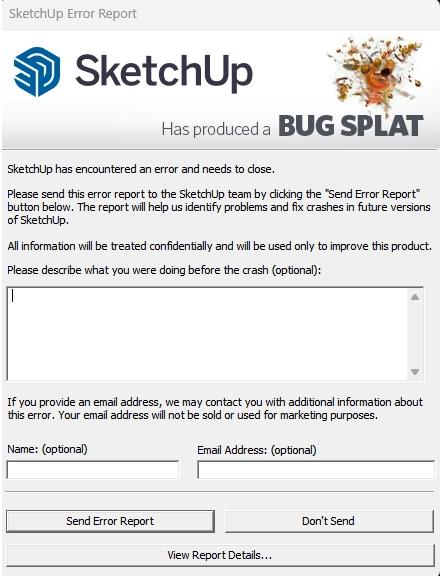
🔹 If a BugSplat error occurs, try the following steps in order
- Update your graphics driver to the latest version.
- Copy and paste the geometry from the affected file into a new SketchUp file, then try again.
- Go to [Window] > [Model Info] > [Statistics] and run [Purge Unused] to remove unnecessary data.
- Check whether any scene or layer names contain special characters.
📌Please note
BugSplat is a program error that may occur depending on your SketchUp environment and does not necessarily indicate a defect in the product.
The methods above are general troubleshooting steps recommended by SketchUp.
If the issue persists, please report the error to SketchUp using [Send Error Report].
Was this helpful?