Some parts of the product are not visible when I open the file.
Does this sound like your issue?
- Some elements shown on the product detail page are not visible in the file.
- When you open the file, only the floor is visible without the building or other objects.
- Some parts of the product appear to be missing.
✔️Please check the following in order.
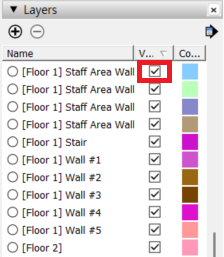
Some products may be provided with certain Layers/Tags turned off for performance optimization.
- Turn on all Layers/Tags.
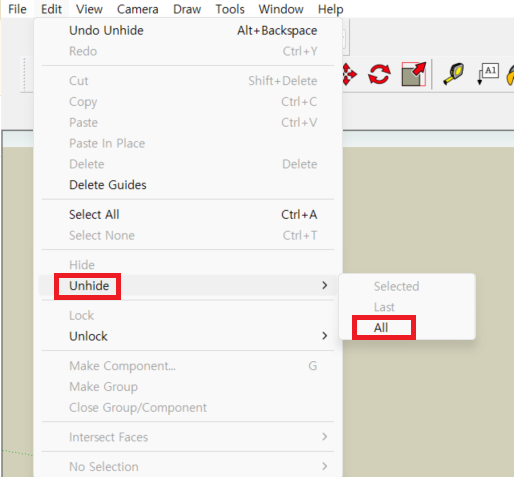
- In the SketchUp menu bar, select Edit > Unhide > All to display all hidden elements.
❓ If the components are visible but appear different from the product detail page, please refer to the [The textures are not showing] FAQ.
📩If the issue is not resolved, please contact us through 1:1 Inquiry with the product information and a screenshot of the relevant screen.
Related Questions
Was this helpful?