The textures are not showing.
Please check the following in order.
- Change the style settings to the default style or texture mode.
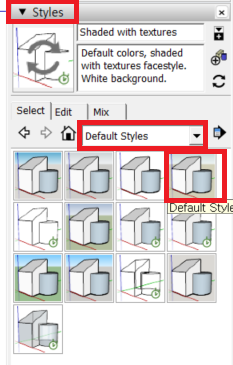
- Make sure Layers/Tags are turned on.
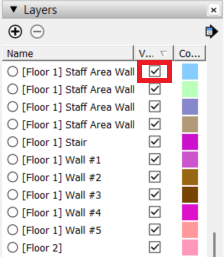
📌 Please note
Some products may be saved in a solid-color format for performance optimization.
Please check the style settings and make sure all layers (tags) are enabled, as described above.
📩 If the issue is not resolved, please contact us through 1:1 Inquiry with the product information and a screenshot of the relevant screen.
Was this helpful?